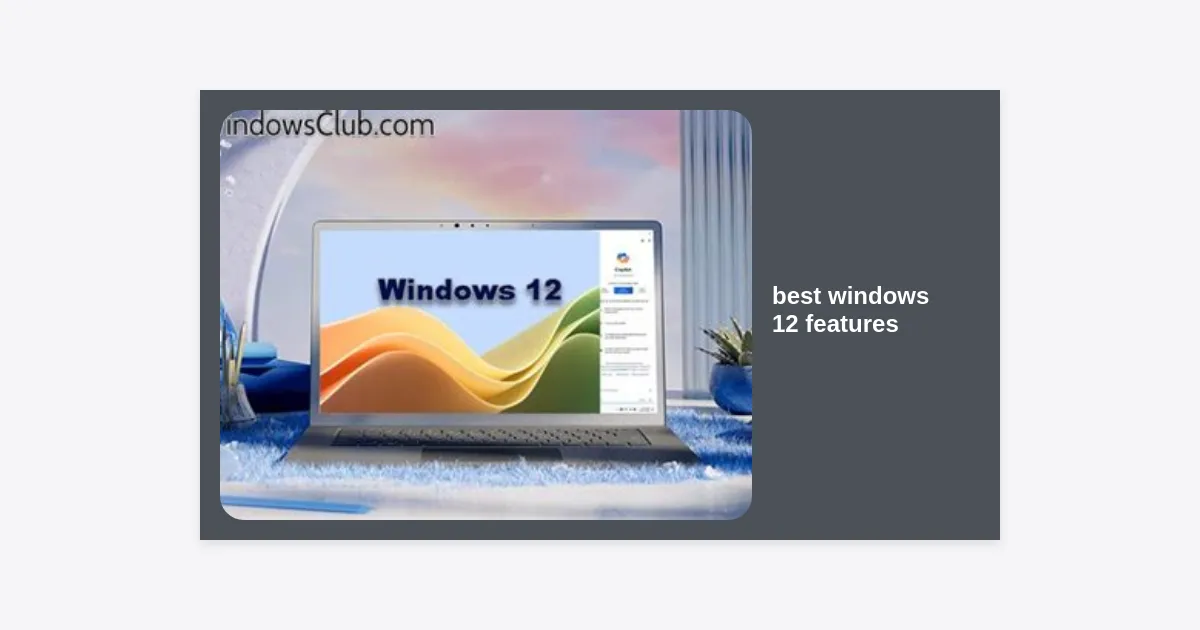
Computing is on the verge of a massive paradigm shift. As hardware capabilities explode and Artificial Intelligence (AI) becomes the backbone of modern productivity, Microsoft is preparing its next major leap. If you are wondering what the next generation of operating systems holds, you are in the right place. In this comprehensive guide, we explore the best windows 12 features that are set to transform how we work, play, and interact with our PCs. From modular architecture to deeply integrated AI co-pilots, Windows 12 promises to be more than just an update—it is a complete reimagining of the desktop experience.
Table of Contents
- 1. The AI Revolution: Advanced Copilot Integration
- 2. CorePC: The New Modular Architecture
- 3. A Fresh Look: The Revamped User Interface
- 4. Performance and Energy Efficiency
- 5. The Next Level of PC Gaming
- 6. Enterprise-Grade Security and Privacy
- 7. Windows 12 System Requirements
- 8. Conclusion: The Future of Windows
1. The AI Revolution: Advanced Copilot Integration
It is impossible to talk about the best windows 12 features without starting with Artificial Intelligence. Microsoft has already integrated GPT-4 powered tools into Windows 11, but Windows 12 is expected to take this to a “system-native” level. This isn’t just a sidebar; it is an AI that understands the context of everything happening on your screen.
Generative AI in Stock Apps
Imagine opening Microsoft Paint and describing a landscape, only for the AI to generate a high-resolution base layer for you to edit. Or opening Notepad and having a built-in assistant summarize your meeting notes instantly. Reports suggest that Windows 12 will embed generative AI across the entire suite of stock applications, making basic tasks faster than ever before.
NPU Exploitation
While current versions of Windows rely heavily on the CPU and GPU, Windows 12 is rumored to be heavily optimized for Neural Processing Units (NPUs). This hardware-software synergy allows for real-time background blur in video calls, live translation of audio, and advanced image recognition without draining your battery or slowing down your processor. This specialized focus on AI hardware marks one of the most significant technical shifts in decades.
2. CorePC: The New Modular Architecture
One of the most exciting, yet technical, best windows 12 features is the introduction of “CorePC.” For years, Windows has been a monolithic operating system with a lot of legacy baggage. CorePC is Microsoft’s vision for a modular, state-separated version of Windows.
State Separation for Stability
In traditional Windows versions, the user has access to almost any part of the system files. CorePC introduces “state separation,” where the OS files are stored in a read-only partition. This not only makes the system significantly more secure against malware but also ensures that updates can be applied in the background more quickly, similar to how ChromeOS or Android handles updates.
Tailored Editions
Because CorePC is modular, Microsoft can strip it down for different devices. A budget tablet doesn’t need the same legacy support as a high-end workstation. This modularity means Windows 12 could lead to lighter, faster versions of the OS for low-power devices, drastically improving the performance of entry-level hardware.
3. A Fresh Look: The Revamped User Interface
Visually, Windows 12 is expected to break away from some of the rigid design choices of its predecessors. Leaked prototypes from Microsoft developer conferences have given us a glimpse into a more dynamic and fluid desktop experience.
The Floating Taskbar
The Taskbar has been a staple of Windows since 1995. However, Windows 12 is testing a “floating” Taskbar that looks more similar to the dock on macOS or certain Linux distributions. This design choice provides a more modern aesthetic and allows for better utilization of screen real estate on ultra-wide monitors.
Top-Mounted System Tray
Another major UI shift includes moving the system tray and search bar to the top of the screen. This creates a clear distinction between active applications (at the bottom) and system-wide information like battery status, Wi-Fi, and time (at the top). Many experts believe this layout improves workflow ergonomics by keeping notifications within the primary line of sight.
“Windows 12 represents a shift toward a more instinctive user interface, where the OS anticipates the user’s needs rather than just reacting to inputs.”
4. Performance and Energy Efficiency
For mobile users, performance per watt is the most critical metric. Windows 12 is expected to introduce deep-level optimizations for ARM processors, aiming to finally compete with Apple’s Silicon in terms of battery life and efficiency. This is easily among the best windows 12 features for laptop users.
Smart Logic Power Management
Using AI, Windows 12 can learn your usage patterns. If you typically check emails and browse the web between 9 AM and 11 AM, the OS can throttle down power-hungry background processes during those hours to stretch your battery life. Conversely, it can prime your hardware for heavy tasks, like video editing, based on your schedule.
Instant Wake and Background Sync
Drawing inspiration from smartphone technology, Windows 12 aims to provide an “instant-on” experience. Even when your laptop is closed, the OS can periodically sync your emails and notifications with minimal power draw, ensuring that everything is ready the moment you open the lid.
5. The Next Level of PC Gaming
Windows remains the primary platform for PC gamers, and Microsoft is doubling down on this legacy. Several best windows 12 features are specifically designed to leverage the power of modern GPUs and high-refresh-rate displays.
- Auto Super Resolution: Integration of AI upscaling at the OS level to boost frame rates in games that don’t natively support DLSS or FSR.
- DirectStorage 2.0: Faster loading times by bypassing the CPU for asset decompression, allowing for seamless open-world environments.
- Enhanced HDR: Improved Auto HDR algorithms that make older games look vibrant and modern on OLED displays.
6. Enterprise-Grade Security and Privacy
In an era of increasing cyber threats, security is paramount. Windows 12 will likely require a TPM 2.0 chip (like Windows 11) but goes further by integrating the Microsoft Pluton security processor directly into the OS core functions.
Enhanced Privacy Dashboard
Users will find a more transparent privacy dashboard. You will be able to see exactly which AI features are processing data locally versus in the cloud. Microsoft is pushing for “Local-First AI,” meaning your sensitive documents are processed on your device’s NPU rather than being sent to a remote server, ensuring your data remains private.
7. Windows 12 System Requirements
While Microsoft has not officially confirmed the hardware specs, industry leaks suggest that Windows 12 will raise the bar slightly to accommodate high-end AI processing. Below is a table of the estimated requirements to enjoy the best windows 12 features.
| Component | Minimum Requirement (Estimated) | Recommended for AI Features |
|---|---|---|
| Processor | 1GHz or faster with 2 or more cores | Intel 14th Gen / AMD Ryzen 8000 (with NPU) |
| RAM | 8 GB | 16 GB or 32 GB |
| Storage | 64 GB SSD | 256 GB+ NVMe Gen 4 SSD |
| System Firmware | UEFI, Secure Boot capable | UEFI, Secure Boot capable |
| TPM | TPM 2.0 | Pluton Security Chip / TPM 2.0 |
If you want to prepare your system early, you can stay updated via the Windows Insider Program. For those looking to test compatibility, Microsoft often releases a PC Health Check tool closer to launch.
8. Conclusion: The Future of Windows
Windows 12 is shaping up to be a monumental leap in the evolution of personal computing. By focusing on AI integration, modular architecture, and a refined user interface, Microsoft is addressing both the needs of power users and the simplicity required by casual consumers. The transition to an AI-first OS will likely change the way we interact with our computers forever.
Key Takeaways:
- AI Integration: Windows 12 will use NPUs to power real-time AI tools across all applications.
- CorePC: A modular approach will make the OS faster, more secure, and easier to update.
- UI Redesign: Expect a cleaner look with a floating taskbar and top-mounted system tray.
- Gaming & Efficiency: Better ARM support and Auto Super Resolution will enhance mobile productivity and gaming.
As we await the official launch date—rumored to be sometime in 2024 or 2025—now is the perfect time to ensure your hardware is ready for the upgrade. Stay tuned for more updates as we continue to track the best windows 12 features emerging from Redmond.