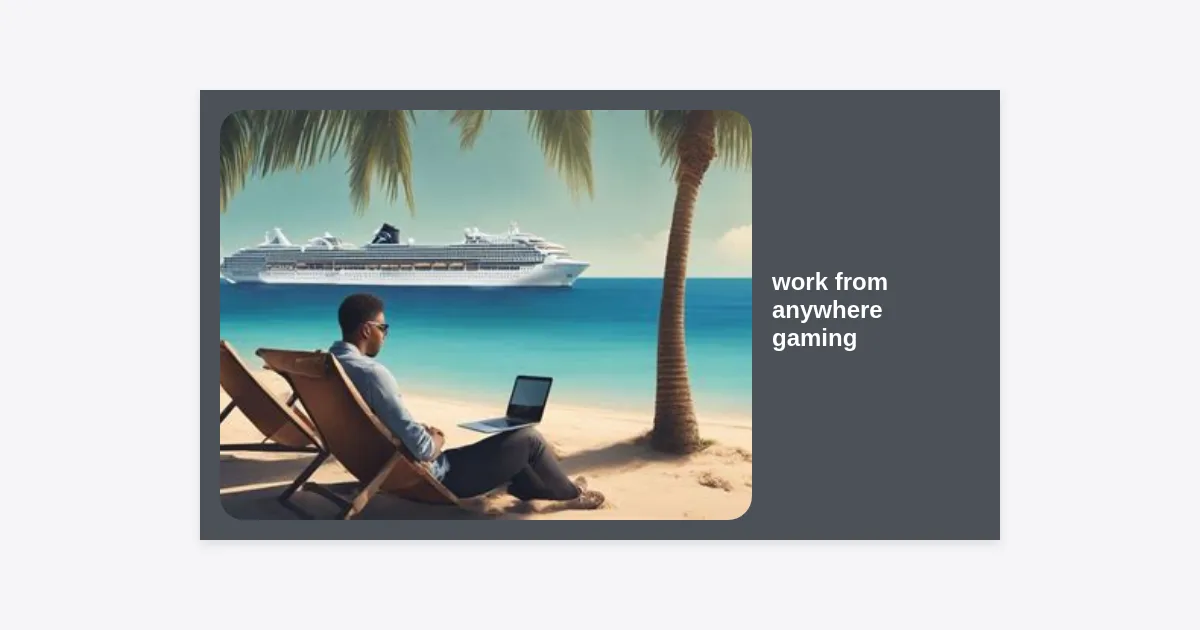
The Reality of Work From Anywhere Gaming
For decades, the dream of the digital nomad was defined by a laptop and a tropical beach. However, for a growing demographic of professionals, a simple web browser isn’t enough. The rise of work from anywhere gaming has transformed how we view remote employment, proving that you can maintain a high-ranking competitive status in your favorite titles while scaling the corporate ladder from a foreign country.
Whether you are a software engineer, a digital marketer, or a creative director, the ability to engage in work from anywhere gaming allows you to maintain your social circles and hobbies regardless of your physical coordinates. This guide explores the hardware, software, and lifestyle adjustments required to turn the world into your personal LAN party.
Integrating a high-end gaming lifestyle with a nomadic career path requires more than just a powerful laptop. It demands a sophisticated understanding of global infrastructure, latency issues, and portable hardware optimization. If you’ve ever worried about your ping while sitting in a beautiful cafe in Lisbon, this article is for you.
Essential Gear: Building Your Portable Battle Station
When it comes to work from anywhere gaming, the weight-to-performance ratio is your most important metric. You need a machine that can handle 4K video rendering for work and 144Hz refresh rates for play, all while fitting into a standard carry-on bag.
The Powerhouse Laptop
Traditional gaming laptops used to be “portable” in name only, often weighing over 10 pounds. Today, machines like the ASUS ROG Zephyrus G14 or the Razer Blade 14 offer NVIDIA RTX 40-series graphics in incredibly slim profiles. Look for laptops with USB-C charging capabilities, allowing you to use a single high-wattage GaN charger for both your phone and your rig.
Handheld PCs: The Game Changer
The emergence of devices like the Steam Deck, ASUS ROG Ally, and Lenovo Legion Go has revolutionized the work from anywhere gaming landscape. These devices allow you to squeeze in a quick session of Elden Ring during a flight or in a taxi, keeping your primary work laptop strictly for professional tasks.
Connectivity Hacks for High-Speed Gaming on the Go
The biggest hurdle for anyone pursuing work from anywhere gaming is the internet. A 100ms jitter can be the difference between a win and a loss in games like Counter-Strike or Valorant. Speed is secondary to stability and latency.
- Ethernet Always: Whenever possible, use a USB-C to Ethernet adapter. Wired connections in Airbnbs are significantly more stable than crowded 2.4GHz Wi-Fi bands.
- External Antennas: Invest in a high-quality 5G pocket router (like the Netgear Nighthawk M6). These often have better reception than your smartphone’s hotspot and can be placed near a window for optimal signal.
- Starlink Mini: For truly remote workers, the Starlink Mini offers a revolutionary way to play. While latency is higher than fiber, it provides playable pings (40-60ms) in locations that previously had no internet at all.
“Latency is the silent killer of the remote gaming experience. While you can work on 500ms lag, you certainly cannot compete effectively.”
The Role of Cloud Gaming in Remote Work
If you don’t want to carry a bulky GPU-heavy laptop, cloud gaming is your best friend. Services like NVIDIA GeForce Now, Xbox Cloud Gaming (Project xCloud), and Boosteroid allow you to stream high-end PC games to a MacBook Air or even a tablet.
The beauty of cloud gaming in a work from anywhere gaming context is the lack of heat and noise. Playing a AAA title on a thin-and-light laptop won’t result in jet-engine fan noise, making it more discreet in public co-working spaces. However, this relies heavily on your proximity to the service’s data centers. Always check the server maps before picking your next destination.
Ergonomics and Health for the Mobile Gamer
Working and gaming from temporary setups can wreak havoc on your posture. To sustain a work from anywhere gaming lifestyle, you must prioritize your physical health. Hotel desks and dining chairs are rarely designed for 12-hour stints of sitting.
Portable Ergonomic Tools
Invest in a lightweight, foldable laptop stand like the Roost or Nexstand. By raising your screen to eye level and using a separate mechanical keyboard and mouse, you prevent “tech neck” and wrist strain. A compact, tenkeyless (TKL) or 60% keyboard is ideal for saving space without sacrificing the tactile feel required for gaming.
Blue Light and Sleep
Switching from work spreadsheets to high-intensity gaming late at night can disrupt your circadian rhythm. Use blue light filters or “Night Mode” on your devices to ensure that your work from anywhere gaming hobby doesn’t result in chronic insomnia.
Balancing High Performance: Productivity and Play
One of the hardest aspects of work from anywhere gaming is the temptation to play just one more round. Discipline is the core of any successful digital nomad’s career. Use the “Pomodoro Technique” for work, and reward your deep-work sessions with short gaming breaks.
Consider using “Work/Play” profiles on your OS. Have one user account for work with restricted access to Steam or Battle.net, and another for gaming. This psychological barrier helps maintain focus during business hours.
Best Destinations for Remote Workers Who Game
Not all digital nomad hubs are created equal for work from anywhere gaming. Some regions offer incredible fiber-optic infrastructure at low costs, while others struggle with basic stability.
| Destination | Average Internet Speed | Gaming Culture | Cost of Living |
|---|---|---|---|
| Seoul, South Korea | 500+ Mbps | World-renowned | High |
| Bucharest, Romania | 300+ Mbps | Growing | Low |
| Chiang Mai, Thailand | 200+ Mbps | Vibrant Nomad Scene | Very Low |
| Tallinn, Estonia | 150+ Mbps | Tech-Forward | Moderate |
Digital Nomad Gamer Checklist
Before you jet off to your next location, ensure your work from anywhere gaming setup is complete. Use this checklist to avoid common pitfalls on the road.
- VPN with Gaming Optimization: Use a VPN like ExitLag or ExpressVPN to route your traffic through more stable paths and bypass regional blocks.
- Universal Power Adapter: Ensure it can handle the high wattage (100W+) required for gaming laptops.
- Noise-Canceling Headset: Essential for both professional Zoom calls and immersive gaming in noisy environments.
- Travel Insurance for Electronics: Regular travel insurance often doesn’t cover high-end gaming rigs. Get a specific policy for your gear.
- Local Server Knowledge: Research where the nearest game servers are located to manage your latency expectations.
To help you stay organized, we have created a comprehensive PDF checklist that you can use for your next trip.
Conclusion: The Future of Global Play
The concept of work from anywhere gaming represents the ultimate freedom for the modern professional. By combining a high-performance career with a high-performance hobby, you are no longer tethered to a single zip code or a static desk. As technology continues to evolve-with more powerful handhelds, better global satellite internet, and more robust cloud services-the barriers between the office and the arcade will continue to vanish.
Key Takeaways:
- Prioritize hardware with high weight-to-performance efficiency.
- Latency is more important than raw download speed for gaming.
- Cloud gaming is a viable alternative for those traveling light.
- Maintain ergonomics to ensure your career and hobby are sustainable.
- Choose destinations with a proven track record of stable, high-speed fiber.
Are you ready to take your career and your gaming stats on the road? Start by optimizing your setup today and embrace the limitless potential of the work-from-anywhere lifestyle.