In the digital age, the dream of earning money while you sleep has become a reality for thousands of people worldwide. One of the most prominent gateways to this financial freedom is the web Shopee Affiliate program. Whether you are a social media influencer, a blogger, or someone looking for a side hustle, understanding how to navigate the web-based version of this platform is your first step toward building a sustainable income stream.
While many users are familiar with the Shopee mobile app, the professional dashboard available through the web Shopee Affiliate portal offers much more robust tools, detailed analytics, and management features that are essential for scaling. In this comprehensive guide, we will dive deep into everything you need to know about starting, managing, and succeeding with your affiliate journey using the web dashboard.
Table of Contents
- What is the Web Shopee Affiliate Program?
- Why Professionals Prefer the Web Dashboard vs. The App
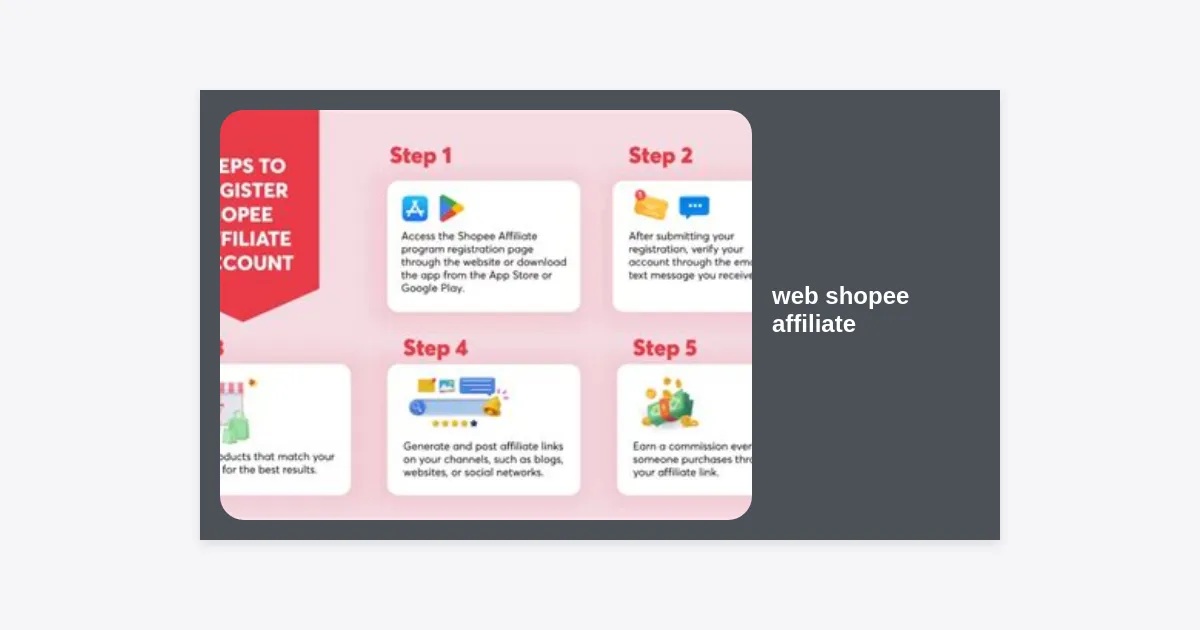
- Step-by-Step Guide: Registering for Web Shopee Affiliate
- Navigating the Web Shopee Affiliate Dashboard
- Strategies to Maximize Your Commission Earnings
- Analyzing Data to Optimize Performance
- Commission Structure and Payment Timelines
- Common Mistakes to Avoid
- Conclusion and Next Steps
What is the Web Shopee Affiliate Program?
The web Shopee Affiliate program is a performance-based marketing initiative where individuals (affiliates) promote products listed on Shopee. When a buyer makes a purchase through your unique affiliate link, you receive a commission. Unlike traditional commerce, you don’t need to stock products, handle shipping, or deal with customer service.
Shopee has expanded this program across Southeast Asia, Brazil, and other regions, making it one of the most accessible affiliate networks globally. The “Web” aspect refers specifically to the desktop-accessible platform (affiliate.shopee.com or regional variations) where affiliates manage their links, track performance, and access exclusive marketing materials.
Pro Tip: Success in affiliate marketing isn’t about spamming links; it’s about building trust and recommending products that solve your audience’s problems.
Why Professionals Prefer the Web Dashboard vs. The App
While the Shopee app is convenient for quick link generation, the web Shopee Affiliate portal is where the “real work” happens for several reasons:
- Comprehensive Reports: The web version provides detailed CSV exports of your performance, allowing you to analyze down to the specific product SKU and conversion time.
- Bulk Operations: You can create “Custom Links” in bulk, which is indispensable for bloggers or website owners who manage hundreds of links.
- Bigger Visuals: Managing campaign banners and checking “Brand Offers” is significantly easier on a larger screen.
- Advanced Link Tracking: The web dashboard allows you to add up to five sub-IDs to your links, helping you track exactly which post or platform generated the sale.
Step-by-Step Guide: Registering for Web Shopee Affiliate
Getting started is straightforward, but many users fail the verification process because they don’t provide the right information. Follow these steps on the web Shopee Affiliate site to ensure approval:
- Visit the Portal: Go to the official Shopee Affiliate website for your region (e.g., affiliate.shopee.co.id for Indonesia, affiliate.shopee.ph for Philippines).
- Log In: Use your existing Shopee buyer account to log in. It is recommended to have an account that is already verified.
- Fill the Application Form: You will be asked for your social media links (Instagram, TikTok, YouTube, or Facebook) or your website URL. Ensure your profile is set to “Public.”
- Enter Contact Details: Provide a valid email address and phone number. You will receive a verification code.
- Wait for Review: The Shopee team typically reviews applications within 3 to 5 business days. Once approved, you will gain full access to the web Shopee Affiliate dashboard.
Note: Having a minimum number of followers is often required, though the specific threshold varies by region. Usually, 1,000 to 2,000 followers on a single platform is enough to get started.
Navigating the Web Shopee Affiliate Dashboard
Once you are logged into the web Shopee Affiliate platform, you will see several key menus:
1. Offer Search
This is where you find products to promote. You can filter by “Commission Rate,” “Price,” and “Sales Volume.” Look for products with the “highest commission” tag to maximize your return on effort.
2. Custom Link
This tool allows you to take any product URL from the Shopee marketplace and turn it into a trackable affiliate link. In the web Shopee Affiliate interface, this section also allows for Sub-ID tracking (Sub_ID1, Sub_ID2, etc.), which is vital for professional campaigns.
3. Performance Report
This is the heart of your operations. Here, you can monitor clicks, conversion rates (CVR), and total earnings. If you see high clicks but low conversions, it may indicate a mismatch between your content and the product price or quality.
Ready to track your earnings professionally?
Strategies to Maximize Your Commission Earnings
Simply posting links isn’t enough. To truly succeed with the web Shopee Affiliate program, you need a strategy. Here are the most effective methods used by top earners:
Choose a Specific Niche
Don’t promote everything from electronics to baby clothes. Be the authority in one area. If you are a tech enthusiast, focus on gadgets. If you are a parent, focus on childcare products. Niche focus increases your conversion rate because your audience trusts your specific expertise.
Leverage ‘Spilling’ Links on Social Media
In many regions, “spilling” or sharing recommendations is a huge trend. Use the web Shopee Affiliate dashboard to grab links for products you actually use. Creating a “Linktree” or a specific landing page (like a Shopee Video collection) helps centralize your recommendations.
Focus on High-Ticket and High-Commission Items
While selling cheap items is easier, the commission is usually lower. Balancing your portfolio with high-ticket items (like home appliances) and items with “Brand Offers” (which offer up to 20-30% commission) is a smart way to boost your earnings using the web Shopee Affiliate tools.
Use SEO for Long-Term Traffic
Write product reviews or “Top 10” lists on a blog. By optimizing your blog post for keywords related to the products and the web Shopee Affiliate links you include, you can drive organic traffic from Google for years to come.
Analyzing Data to Optimize Performance
The web Shopee Affiliate dashboard provides granular data that you should check at least once a week. Look for these specific metrics:
- Conversion Rate (CVR): The percentage of clicks that result in a sale. A healthy CVR is usually between 1% and 5%.
- Click-Through Rate (CTR): If your CTR is low, your thumbnails or call-to-action (CTA) text needs improvement.
- Invalid Orders: Sometimes orders are canceled or returned. These will show as invalid. High invalid rates might mean a product has quality issues.
Commission Structure and Payment Timelines
Understanding how you get paid is crucial for managing your expectations. The web Shopee Affiliate program generally pays out in two tiers:
- Standard Commission: A base percentage paid by Shopee for almost any product on the platform.
- Extra Commission (Brand Offers): Additional percentages paid by specific brands to incentivize affiliates. These can be seen in the “Offers” section of your web dashboard.
Payment is usually processed once a month or bi-weekly, depending on your region. You must reach a minimum threshold (e.g., Rp 10.000 or $10) for the funds to be transferred to your ShopeePay or bank account. Always ensure your tax information (NPWP in Indonesia, for example) is updated in the web Shopee Affiliate settings to avoid higher tax deductions.
Common Mistakes to Avoid
Even with the best tools on the web Shopee Affiliate portal, many beginners fail due to these common errors:
- Direct Linking to Homepages: Always link to a specific product or a specific shop. Linking to the Shopee homepage rarely results in conversions.
- Ignoring the ‘Cookie’ Period: Shopee usually has a short cookie window. If a user clicks your link but waits 7 days to buy, you might not get the commission. Promote items that trigger immediate desire.
- Violating Terms of Service: Do not use your own affiliate links to buy products for yourself (self-purchasing). Shopee’s fraud detection system is very advanced.
- Neglecting Mobile Users: While you manage your business on the web Shopee Affiliate dashboard, remember your customers are mostly on mobile. Ensure your links open correctly in the Shopee app.
Conclusion and Next Steps
The web Shopee Affiliate program is a powerful engine for anyone looking to enter the world of e-commerce without the risk of inventory management. By utilizing the advanced features of the web dashboard—from deep-link generation to detailed performance analytics—you can turn a simple hobby into a profitable business.
Your Next Steps:
- Log in to the web Shopee Affiliate portal today and complete your profile.
- Select 5 products within a single niche that have at least a 4.5-star rating.
- Generate your custom links and share them on your primary social channel.
- Monitor the “Performance Report” next week to see what worked.
Remember, consistency is the key. The most successful affiliates aren’t those who get lucky with one viral post, but those who consistently use the data from their web Shopee Affiliate dashboard to refine their strategy and better serve their audience.