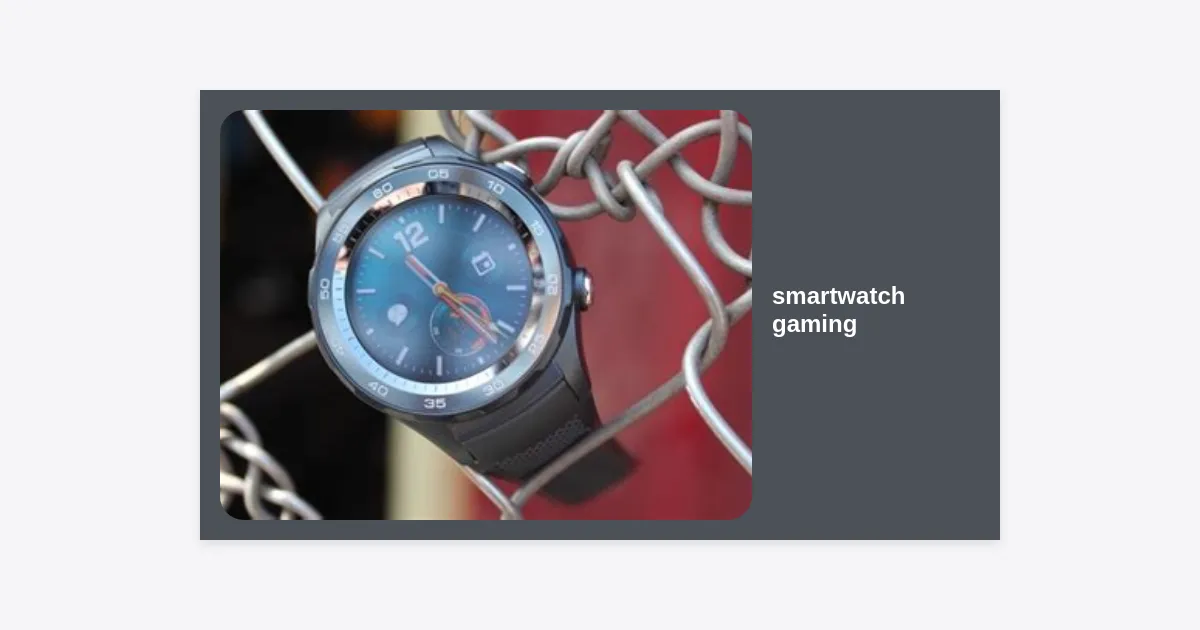
Have you ever found yourself standing in a long grocery line, or perhaps waiting for a friend at a cafe, wishing you had a quick way to pass the time without pulling out your bulky smartphone? For many, the answer lies right on their wrist. Smartwatch gaming has evolved from a niche novelty into a legitimate category of micro-entertainment, offering unique experiences that leverage haptic feedback, heart rate sensors, and extreme portability. While it may not replace the immersive experience of a console or a flagship phone, the convenience of having a gaming platform strapped to your arm is undeniable.
Table of Contents
- The Evolution of Smartwatch Gaming
- Why Play Games on a Smartwatch?
- Top Games for Apple Watch and Wear OS
- Understanding Technical Constraints
- How to Optimize Your Device for Better Gaming
- Hardware Features That Enhance the Experience
- The Future of Wearable Play: AR and Beyond
- Frequently Asked Questions
- Conclusion
The Evolution of Smartwatch Gaming
To understand where smartwatch gaming is today, we have to look at how far it has come. In the early days of the Pebble and the original Apple Watch, games were incredibly rudimentary. We saw simple clones of Tetris or Snake that struggled with refresh rates and battery drain. The interaction was clunky, often relying on tiny screen taps that obscured the very graphics you were trying to see.
Fast forward to the present, and the landscape is drastically different. Modern wearables like the Apple Watch Ultra 2 and the Samsung Galaxy Watch 6 classic boast powerful processors that rival the smartphones of a decade ago. We now have games that utilize the Digital Crown for precise analog control, accelerometers for motion-based gameplay, and even games that integrate with your actual physical health data to impact in-game mechanics.
“The magic of gaming on a wearable isn’t about complexity; it’s about the intimacy of the interaction. You don’t ‘load up’ a smartwatch game; you glance at it, interact for 30 seconds, and move on with your day.”
Why Play Games on a Smartwatch?
You might ask: “Why would I play on a 1.5-inch screen when I have a 6-inch phone in my pocket?” The value proposition of smartwatch gaming centers on frictionless access. Pulling a phone out of a pocket or bag, unlocking it, and launching an app takes significantly more effort than simply raising your wrist. This makes wearables the king of “micro-gaming”—the 15-to-60-second bursts of activity that fill the gaps in our lives.
Furthermore, smartwatch gaming offers a level of discretion that phones do not. Whether you’re in a boring meeting or a quiet waiting room, a subtle tap on your watch is far less disruptive than glowing smartphone screen held up in front of your face. It is the modern-day equivalent of doodling in the margins of a notebook—a way to keep the brain engaged during downtime.
Top Games for Apple Watch and Wear OS
If you’re looking to dive into the world of wrist-based entertainment, here are some of the most polished and engaging titles available today. These games have been specifically optimized for small screens and unique input methods.
1. Pocket Bandit (Apple Watch)
This is perhaps the gold standard for smartwatch gaming. In Pocket Bandit, you play as a safe-cracker. The game utilizes the Digital Crown to simulate the turning of a vault’s dial. When you feel a specific haptic vibration, you know you’ve hit the right number. It’s tactile, immersive, and perfect for the device’s hardware.
2. 2048 (Multi-platform)
The classic tile-merging puzzle game is perfectly suited for the square or circular faces of smartwatches. Swiping to move tiles is intuitive, and because the game doesn’t require reflexes, the slight input lag of some wearable screens doesn’t impact the experience.
3. Lifeline (Text-based RPG)
Lifeline changed the way people thought about mobile storytelling. You communicate with an astronaut stranded on a moon. The game plays out in real-time through notifications. You receive a message on your watch, choose a response, and wait for them to carry out the action. It creates a sense of presence that feels incredibly real on a wearable.
4. Wear Maze (Wear OS)
Using the accelerometer, Wear Maze tasks you with tilting your wrist to guide a ball through a series of increasingly difficult labyrinths. It’s a great example of using movement sensors rather than touch controls, which keeps the screen visible at all times.
Understanding Technical Constraints
Developers face significant hurdles when creating smartwatch gaming experiences. Unlike a PC or a console, a watch is a thermally constrained environment. If a processor runs too hard for too long, the watch will get uncomfortably hot against the skin and eventually throttle its performance to cool down.
Then there is the issue of battery life. Smartwatches are designed to last a day or two on a single charge. High-intensity 3D graphics can drain a battery from 100% to zero in just a few hours. This is why the most successful games often use simplified art styles—think vector graphics, pixel art, or text-based interfaces—that are less taxing on the GPU.
How to Optimize Your Device for Better Gaming
To get the most out of your gaming sessions, there are several practical steps you can take to ensure your watch performs at its peak:
- Close Background Apps: Just like a phone, keeping too many health trackers or maps open in the background can eat up RAM needed for your game.
- Enable Theater Mode: If you are playing a game that uses haptics but you don’t want the screen brightness to fluctuate based on ambient light, Theater Mode can often help maintain a consistent visual experience.
- Manage Notifications: There is nothing worse than a notification pop-up blocking the screen right as you’re about to set a high score. Use “Do Not Disturb” mode during gaming sessions.
- Keep Your OS Updated: Both Apple and Google frequently release updates that optimize graphics drivers and power management.
If you’re looking for a hub to find and manage your wearable games, you can often find dedicated “Watch App” sections in the Play Store or App Store. For those looking for a curated collection of lightweight titles, you can search for a Game Discovery Tool inside your wearable’s store.
Hardware Features That Enhance the Experience
When shopping for a new watch with gaming in mind, certain hardware features make a world of difference. The haptic engine is perhaps the most underrated component. On the Apple Watch, the “Taptic Engine” provides precise, varying levels of vibration that can simulate the click of a wheel or the impact of a hit. Without quality haptics, the gaming experience feels hollow.
Screen technology also matters. OLED and AMOLED displays are standard because they can turn off individual pixels to show true blacks, which is perfect for space-themed games or high-contrast puzzles. These screens are also exceptionally bright, making them readable even if you’re playing outdoors in direct sunlight.
| Feature | Influence on Gaming |
|---|---|
| Digital Crown/Rotating Bezel | Provides tactile scrolling and precise control without blocking the screen. |
| Haptic Feedback | Adds a physical dimension to digital actions, improving immersion. |
| Always-On Display | Allows for “glanceable” gaming where you can see game states without waking the watch. |
| LTE Connectivity | Enables multiplayer and cloud-syncing even when away from your phone. |
The Future of Wearable Play: AR and Beyond
The future of smartwatch gaming looks bright, particularly with the advent of Augmented Reality (AR) and biometric integration. Imagine a game where you have to “defend” your actual physical location, or where your character’s health in a game is tied to your real-life heart rate. If you’re stressed or running, your in-game avatar might have more stamina but less accuracy.
We are also seeing the rise of “cross-play” between wearables and other devices. You might start a quest on your PC, receive a progress notification on your watch while you’re out, and complete a small resource-gathering mini-game on your wrist that impacts your main save file. This ecosystem-wide gaming makes the smartwatch a vital accessory rather than a standalone platform.
Frequently Asked Questions
Can I play 3D games on my smartwatch?
While some watches are technically capable of rendering low-poly 3D graphics, most games are 2D or 2.5D to save battery and reduce heat. However, as chips like the Snapdragon W5+ become more common, we expect to see more titles with 3D elements.
Do smartwatch games drain the battery quickly?
Yes, gaming is one of the most resource-intensive activities for a wearable. A 30-minute gaming session might take 10-15% of your battery, depending on the game’s complexity and your watch’s age.
Are there multiplayer smartwatch games?
There are! Most are turn-based, such as Chess or Trivia Crack, which allow you to take your turn and then wait for an opponent. Real-time multiplayer is rare due to latency and battery concerns.
Conclusion
Smartwatch gaming is proof that great things come in small packages. It’s a genre defined by ingenuity, forcing developers to strip away the fluff and focus on the core “fun” of a mechanic. Whether it’s the tactile joy of turning a digital crown to crack a safe or the mystery of a real-time text adventure, these games provide a unique way to stay entertained throughout the day.
As hardware continues to improve and developers experiment with more health-integrated features, your smartwatch may soon become your most frequently used gaming device. Next time you have a minute to spare, don’t reach for your pocket—just look at your wrist and start playing.
Key Takeaways:
- Smartwatch gaming is best for “micro-sessions” of under 60 seconds.
- Hardware features like haptic feedback and physical crowns are essential for the best experience.
- Battery management is the biggest challenge for wearable gamers.
- The future lies in health-integrated and cross-platform experiences.