Table of Contents
- Introduction to Remote Financial Planning
- Why Transitioning to Remote Work Requires a New Budget
- The Hidden Costs of Working From Home
- Essential Remote Work Budget Categories
- Download Remote Work Budget Spreadsheet
- Maximizing Tax Deductions for Home Offices
- Practical Strategies to Reduce Remote Expenses
- Software and Tools for Expense Tracking
- Final Thoughts: Future-Proofing Your Remote Life
Introduction to Remote Financial Planning
Transitioning to a home-based office sounds like a financial dream. You save on gas, expensive city lunches, and a professional wardrobe. However, without a dedicated plan, the “freedom” of working from home can lead to unexpected fiscal leakages. To help you navigate this transition, we offer a way to download remote work budget tools today to ensure your bank account stays as healthy as your work-life balance.
Whether you are a seasoned freelancer, a recently transitioned employee, or a business owner managing a distributed team, understanding where every dollar goes is crucial. A remote work budget isn’t just a list of expenses; it is a strategic map that helps you invest in the right technology, manage utility spikes, and prepare for tax season with confidence. In this guide, we will break down every financial nuance of the remote lifestyle.
Why Transitioning to Remote Work Requires a New Budget
Many professionals assume that their standard household budget will suffice when they stop commuting. This is a common misconception. When your home becomes your primary place of business, the lines between personal and professional expenses blur. You are no longer just a resident; you are a facility manager of your own boutique office space.
Statistics show that while the average remote worker can save up to $4,000 annually on commuting costs, they often face a 15-25% increase in home utility bills. Furthermore, the lack of employer-provided coffee, snacks, and high-speed internet means these costs shift directly to the individual. By taking the time to download remote work budget spreadsheets, you can visualize these shifts before they impact your savings.
The Hidden Costs of Working From Home
The obvious costs are easy to spot: a new laptop or a noise-canceling headset. It is the insidious, hidden costs that often derail a financial plan. Let’s look at several areas where money often slips through the cracks:
- Energy Consumption: Running high-end computers, secondary monitors, and climate control for 8-10 hours longer than usual can significantly bump your electricity and heating bills.
- Internet Redundancy: For remote professionals, internet downtime is lost income. Many choose to pay for a secondary mobile hotspot or a higher-tier business fiber line for reliability.
- Ergonomics and Health: Working from a kitchen chair might work for a week, but the long-term cost of physical therapy for back pain far exceeds the price of a certified ergonomic chair.
- Home Maintenance: Increased usage of your home leads to faster wear and tear on carpets, furniture, and kitchen appliances.
“A budget tells us what we can’t afford, but it doesn’t keep us from buying it.” – William Feather. The goal of our downloadable budget is to ensure you know exactly what you are buying and why.
Essential Remote Work Budget Categories
To create a truly comprehensive financial plan, you must categorize your spending. When you use our download remote work budget file, you will see the following categories pre-populated for your convenience.
1. One-Time Setup Costs
This includes your initial investment in infrastructure. Think of this as your “seed capital” for your home office. Items include your desk, chair, computer hardware, webcam, and lighting for video calls. Proper lighting is often overlooked but essential for professional presence in a digital-first world.
2. Recurring Technology Subscriptions
Software-as-a-Service (SaaS) can eat away at your margins. Categorize your subscriptions into “Critical” (Zoom, Slack, Adobe Creative Cloud) and “Secondary” (Project management tools, AI writing assistants). Periodically auditing these subscriptions is a key part of remote financial health.
3. Connectivity and Utilities
Unlike a traditional office, you are the provider. This section should track your increased ISP costs, mobile data plans, and the incremental increase in gas, water, and electricity. If you live in an area with extreme weather, seasonal fluctuations in HVAC costs must be accounted for in your annual projection.
Download Remote Work Budget Spreadsheet
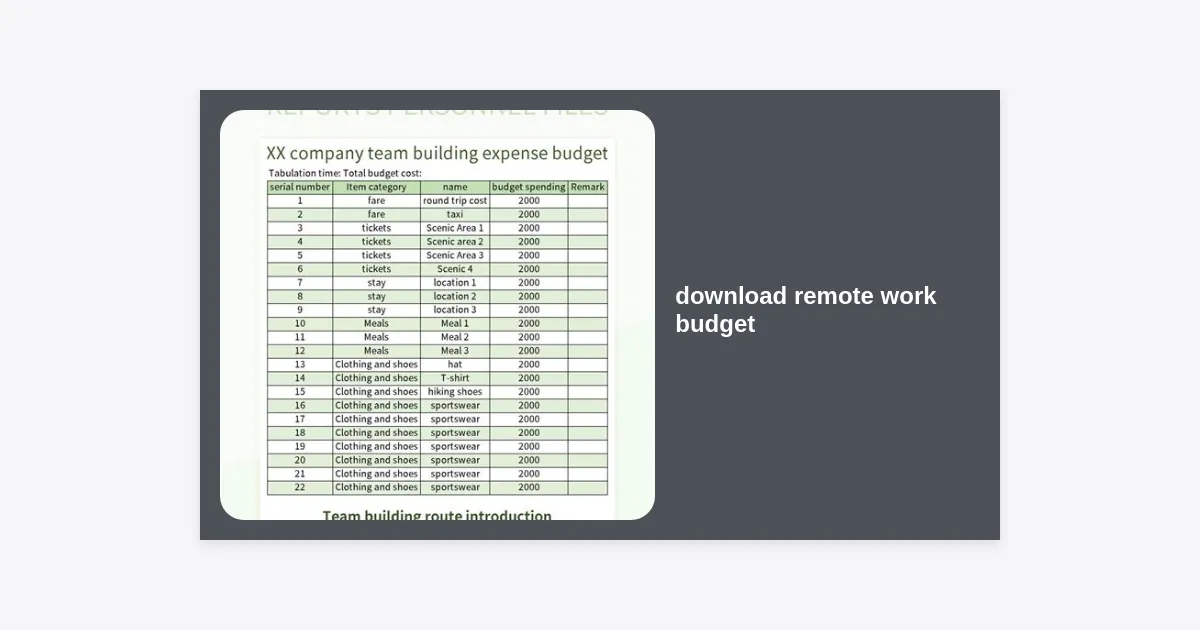
We have designed a comprehensive, easy-to-use Excel and Google Sheets template to help you take control of your financial future. This template includes pre-built formulas to calculate your monthly burn rate and project annual savings compared to office-based work.
Ready to Start Tracking?
Get our professional-grade template now. Compatible with Microsoft Excel, Google Sheets, and Numbers.
📥 DOWNLOAD REMOTE WORK BUDGET TEMPLATE
Format: .XLSX | Size: 45KB | Last Updated: October 2023
Maximizing Tax Deductions for Home Offices
One of the biggest advantages of working remotely, particularly for freelancers and independent contractors, is the ability to deduct expenses. However, tax laws vary significantly by region, and documentation is king. If you use your home office exclusively for business, you may be eligible for significant write-offs.
Common Deductible Expenses:
- A percentage of your rent or mortgage interest based on the square footage of your office.
- A portion of your utility bills (Internet, Electricity, Water).
- Depreciation on office furniture and computer equipment.
- Direct supplies like printer ink, paper, and postage.
Always consult with a qualified tax professional to ensure you are meeting the specific requirements of the IRS or your local tax authority. Keeping the receipts tracked in your budget spreadsheet will make April much less stressful.
Practical Strategies to Reduce Remote Expenses
While spending is inevitable, overspending is optional. Here are actionable tips to keep your remote work budget lean:
- Energy Audit: Use smart power strips to prevent “vampire” energy draw from devices not in use. Switch to LED lighting for your workspace.
- Bundle Services: Many ISPs offer better rates if you bundle your home and business connections, or if you negotiate your rate annually.
- Buy Refurbished: For non-critical hardware like secondary monitors or keyboard-mouse combos, buying certified refurbished equipment can save you 30-50%.
- Meal Prep: The “door-dash trap” is real. Spending $20 on a delivered lunch because you “didn’t have time to cook” can cost you $400 a month. Budgeting for groceries specifically for work-day lunches is an easy win.
Software and Tools for Expense Tracking
If a spreadsheet is too manual for you, consider integrating software tools that sync with your bank accounts. Tools like YNAB (You Need A Budget), Mint, or specialized business tools like Expensify can automate much of the categorization. We recommend starting with our download remote work budget file to understand your needs before committing to a paid tracking software.
Final Thoughts: Future-Proofing Your Remote Life
Remote work is more than just a change of scenery; it is a shift in your economic ecosystem. By taking a proactive approach to your finances, you ensure that the benefits of working from home—like time with family and reduced stress—are not overshadowed by financial anxiety.
Key Takeaways:
- Identify the difference between personal and professional home expenses.
- Track hidden costs like utility increases and home wear-and-tear.
- Use the download remote work budget template to maintain a baseline.
- Review your tax requirements early to maximize your deductions.
- Audit your subscriptions quarterly to eliminate waste.
Managing a remote work budget is an ongoing process. As your career grows and your needs change, your budget should evolve with you. Start today by downloading our template and taking the first step toward true financial independence in the digital age.